바코드 조회 · 만들기 Barcode lookup · make
상품 바코드를 스캔·조회하거나, 숫자·텍스트로 EAN·Code128·ITF-14·QR을 만들어 PNG로 저장하세요. 생성은 브라우저에서만 처리됩니다. Scan a product barcode for ingredients and prices — or type text to generate EAN, Code128, ITF-14, or QR as PNG. Generation stays in your browser.
형식 Format
내용 Content
EAN은 숫자만(8·13자리). ITF-14는 숫자만(13·14자리). 체크디짓 자동 계산. Code128·QR은 텍스트·URL 가능. 생성은 서버로 보내지 않습니다. EAN: digits only (8/13). ITF-14: digits only (13/14). Checksum auto. Code128 & QR: text or URL. Nothing is uploaded.
바코드 입력 Enter barcode
바코드를 프레임 안에 · 탭해서 중지 Align in the frame · tap to stop
검색으로 찾기 Search the web
최근 조회 Recent
바코드 조회와 만들기 — 스캔부터 PNG 생성까지 Barcode lookup and generator — from scan to PNG
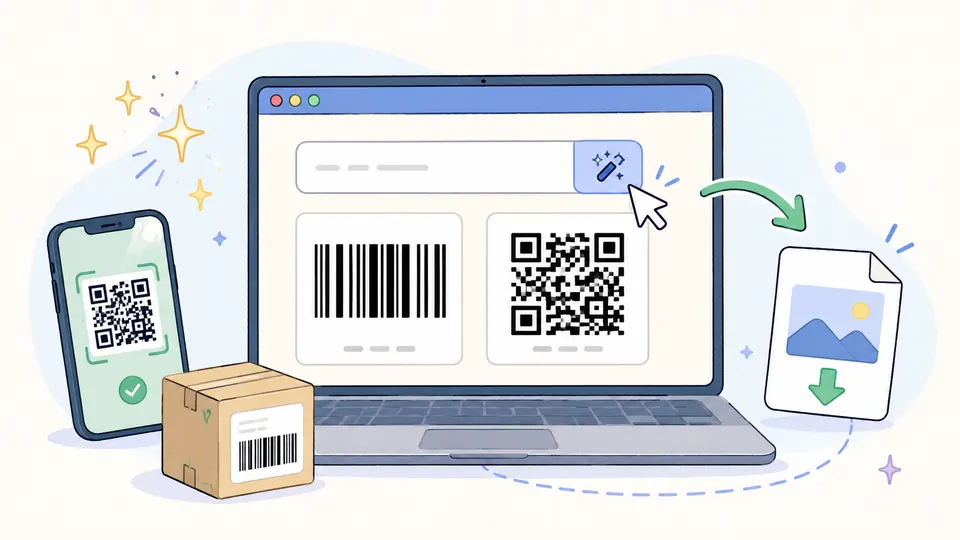
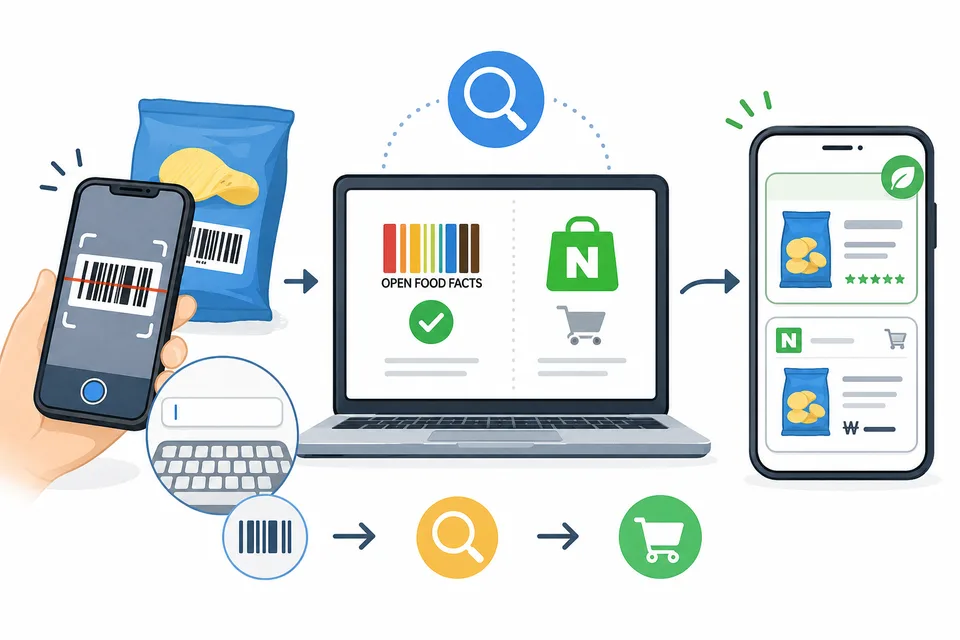
utilzips 바코드 도구는 한 페이지에서 바코드 만들기와 제품찾기를 제공합니다. 숫자·텍스트·URL을 넣으면 EAN-13·EAN-8·Code128·Code39·QR 코드를 PNG로 만들 수 있고, 상품 뒷면 바코드를 카메라로 스캔하거나 숫자를 입력하면 Open Food Facts·네이버 쇼핑 결과를 보여 줍니다. 앱 설치·계정 없이 브라우저에서만 동작하며, 바코드 생성 데이터는 서버로 전송되지 않습니다.
제품찾기 사용법
- 제품찾기 탭에서 스캔 버튼을 누르고 카메라를 허용한 뒤, 바코드를 안내선에 맞추면 자동으로 인식됩니다.
- 카메라가 어렵다면 바코드 아래 숫자(보통 13자리 EAN)를 직접 입력해도 됩니다.
- 찾은 상품은 최근 목록에 남아 다시 열어볼 수 있고, 목록은 이 브라우저에만 저장됩니다.
바코드 만들기
- 바코드 만들기 탭(기본)에서 형식을 고른 뒤 내용을 입력하면 미리보기가 바로 나타납니다.
- EAN-13 / EAN-8: 상품용 숫자 바코드. 12·7자리를 넣으면 체크디짓을 자동으로 붙입니다.
- Code128 / Code39: 재고·문서·라벨용. 영문·숫자·일부 기호를 담을 수 있습니다.
- ITF-14: 외포장(골판지 박스) 전용 GS1 표준 14자리 바코드. 13자리 입력 시 체크디짓 자동 계산, 상·하·좌·우 베어러 바 포함.
- QR: 웹 주소, 문구, 연락처 안내 등 긴 텍스트에 적합합니다.
- 완성된 이미지는 PNG 저장 또는 이미지 복사로 문서·슬라이드·라벨에 바로 넣을 수 있습니다.
ITF-14는 무엇인가
ITF-14는 Interleaved 2 of 5 방식으로 인쇄되는 GS1 표준 14자리 바코드로, 슈퍼마켓·편의점 판매용 낱개 상품(EAN-13)을 여러 개 묶은 외포장 박스에 붙입니다. 낱개 GTIN(13자리) 앞에 포장 레벨 숫자(1~8)를 붙여 14자리를 구성하며, 마지막 자리는 GS1 체크디짓으로 자동 계산됩니다. 눈에 띄는 특징은 바코드 위·아래·좌·우를 감싸는 굵은 테두리인 베어러 바(bearer bar)입니다. 골판지에 인쇄할 때 잉크가 고르지 않아도 스캐너가 바코드 영역을 정확히 인식할 수 있도록 도와주는 역할을 합니다. 이 페이지에서 ITF-14를 생성하면 베어러 바가 자동으로 그려진 PNG를 받을 수 있습니다.
바코드의 유래
바코드는 1948년 미국 드렉설 대학의 대학원생 노먼 우드랜드가 해변에서 모래에 모스 부호를 손가락으로 긋다가, 점과 선을 굵기가 다른 줄무늬로 늘리면 기계가 읽을 수 있겠다는 생각을 떠올리며 시작됐습니다(1952년 특허). 실제 매장 계산대에서 처음 찍힌 상품은 1974년 미국 오하이오의 슈퍼마켓에서 팔린 리글리 껌 한 통이었습니다. 지금 쓰이는 13자리 국제 표준(EAN-13)에서 앞자리 880은 한국에서 발급된 상품이라는 뜻입니다.
QR코드는 어떻게 다른가
QR코드는 1994년 일본 덴소웨이브의 엔지니어 하라 마사히로가 점심시간 바둑을 두다 바둑판 무늬에서 착안해 만들었습니다. 원래는 자동차 부품 관리용이었지만 회사가 특허권을 행사하지 않기로 하면서 전 세계 표준이 됐습니다. 바코드가 가로 한 줄(1차원)에 숫자 정도를 담는다면, QR은 가로·세로(2차원)를 모두 써서 주소·문장 등 수백 배 많은 정보를 담습니다. 이 페이지의 만들기 탭에서 QR PNG를 바로 내려받을 수 있습니다.
이런 때 쓰기 좋습니다
- 장보기 전 성분 확인: 알레르기 성분이나 영양 정보를 계산대 앞에서 바로 확인.
- 수입·직구 상품 확인: 낯선 외국 상품도 바코드만 있으면 어떤 제품인지 검색.
- 가격 비교: 네이버 쇼핑 결과로 온라인 가격을 확인.
- 라벨·재고·행사 QR: 내부용 Code128·상품 EAN·안내 페이지 QR을 설치 없이 만들어 인쇄·공유.
- 집 안 재고 정리: 유통기한이 애매한 식품이 뭔지 확인할 때도 편합니다.
조회 시에는 바코드 숫자만 조회 API로 전달됩니다. 만들기(생성)와 최근 조회 목록은 이 기기·브라우저에만 남으며 생성 내용은 서버로 보내지 않습니다. 식품 정보는 공개 데이터베이스 기준이라 실제 포장 표기와 다를 수 있으니, 알레르기 등 중요한 정보는 포장 표시를 함께 확인하세요. 상업용 GTIN 발급·공식 등록이 필요한 경우 해당 기관 절차를 따르세요.
This utilzips barcode tool does make barcode and find product on one page. Enter digits, text, or a URL to create EAN-13, EAN-8, Code128, Code39, or QR as PNG, or scan/type a product code to see Open Food Facts and Naver Shopping results. No app or account — it runs in the browser, and generated barcode data is never uploaded.
How to find a product
- On the Find product tab, tap scan, allow the camera, and line the barcode up with the guide.
- No camera? Type the digits under the stripes (usually 13-digit EAN).
- Recent finds stay on this device only so you can reopen them.
How to make a barcode
- Open the Make barcode tab (default), pick a format, and type content — preview updates live.
- EAN-13 / EAN-8: numeric product codes; enter 12 or 7 digits and the check digit is added.
- Code128 / Code39: for inventory, docs, and labels (letters, digits, limited symbols).
- ITF-14: GS1 standard 14-digit barcode for outer packaging (corrugated boxes). Enter 13 digits and the check digit is added automatically; bearer bars are drawn on all four sides.
- QR: best for URLs, longer text, and handouts.
- Use Save PNG or Copy image for slides, docs, or print labels.
What is ITF-14?
ITF-14 is a GS1-standard 14-digit barcode printed in Interleaved 2 of 5 symbology, applied to the outer packaging (corrugated shipping cases) that bundles multiple retail units (EAN-13) together. The 14 digits are formed by prepending a packaging level indicator (1–8) to the 13-digit item GTIN; the final check digit is calculated automatically by GS1 rules. Its most recognisable feature is the bearer bar — a thick rectangular border running across the top, bottom, left, and right of the barcode. The bearer bar ensures scanners can reliably locate the barcode boundary even when ink coverage on cardboard is uneven. Generating ITF-14 on this page produces a PNG with bearer bars already included.
Where barcodes come from
In 1948, graduate student Norman Woodland was dragging his fingers through beach sand, drawing Morse code, when he realized dots and dashes stretched into stripes of different widths could be machine-read (patented 1952). The first product ever scanned at a checkout was a pack of Wrigley's gum in an Ohio supermarket in 1974. In today's 13-digit EAN standard, a leading 880 means the product was registered in Korea.
And QR codes?
The QR code was invented in 1994 by Masahiro Hara at Denso Wave in Japan, inspired by the grid of a Go board during a lunch break. Built for tracking car parts, it spread worldwide after the company chose not to enforce its patent. A barcode stores a number in one dimension; a QR code uses two, holding hundreds of times more—URLs, text, and more. You can download a QR PNG from the Make tab on this page.
Good uses
- Check ingredients before buying: allergens and nutrition at the shelf.
- Identify imported goods: unfamiliar products become searchable.
- Compare prices: Naver Shopping shows online prices.
- Labels, stock, event QR: make Code128, EAN, or QR without installing software.
- Sort your pantry: figure out what that mystery item actually is.
Lookup sends only barcode digits to APIs. Generation and recent history stay on this device — generated content is not uploaded. Food data comes from public databases and may differ from the package; double-check labels for allergies. For official commercial GTIN issuance, follow the relevant registry process.