특수문자, 기호 하나하나의 유래 Special characters and where they come from
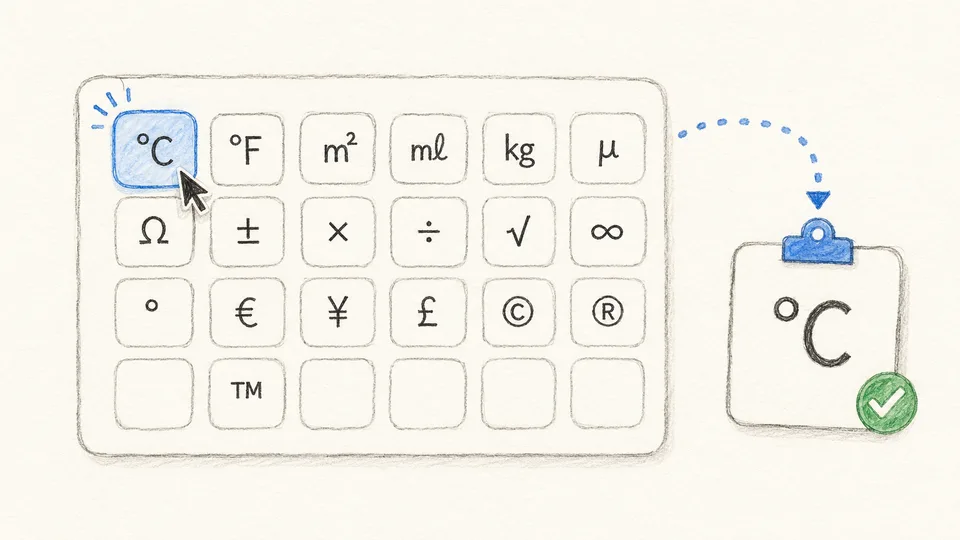
이 페이지는 화살표·수학·통화·단위 기호를 클릭 한 번으로 복사하는 도구입니다. 키보드로 치기 어려운 기호를 찾아 헤매는 대신, 분류 탭에서 골라 누르면 클립보드에 담겨 어디든 붙여넣을 수 있습니다.
사용법
- 상단 탭에서 분류(화살표, 수학, 통화, 단위 등)를 고릅니다.
- 기호를 클릭하면 즉시 복사됩니다. 문서·메신저·SNS 어디에나 붙여넣으면 됩니다.
기호들의 뜻밖의 역사
매일 쓰는 기호에도 저마다 유래가 있습니다. @는 중세 상인들이 항아리 단위(암포라)를 표기하던 기호로, 수백 년 잊혔다가 1971년 첫 이메일 주소에 채택되며 부활했습니다. &는 라틴어 et(그리고)의 두 글자를 흘려 쓴 합자(合字)가 굳은 모양입니다. #은 무게 단위 파운드를 뜻하는 라틴어 libra pondo의 약자 lb에 가로줄을 긋던 필기 습관에서 나왔고, 그래서 영어권에서는 지금도 파운드 기호라고 부릅니다. 온도의 ℃와 ℉는 각각 스웨덴의 셀시우스와 독일의 파렌하이트, 두 과학자의 이름입니다.
어디에 붙여넣어도 똑같은 이유
이 페이지의 기호는 이미지가 아니라 유니코드 문자입니다. 유니코드는 전 세계의 문자와 기호에 고유 번호를 붙인 국제 표준이라, 복사한 기호는 워드·엑셀·카카오톡·인스타그램 어디에 붙여넣어도 같은 글자로 남고 검색도 됩니다.
이런 때 쓰기 좋습니다
- 보고서·논문: ±, ≤, ㎡, ℃ 같은 수식·단위 기호를 정확하게 입력합니다.
- 가격·견적: ₩, $, €, ¥ 통화 기호를 빠르게 붙입니다.
- 안내문·순서도: →, ⇒, ※ 로 흐름과 주의사항을 깔끔하게 표시합니다.
- SNS·닉네임: 키보드에 없는 기호로 글과 프로필을 꾸밉니다.
복사는 브라우저 안에서만 일어나며 서버로 아무것도 전송되지 않습니다. 아주 오래된 프로그램이나 특수한 글꼴에서는 일부 기호가 네모(□)로 보일 수 있는데, 글꼴이 그 기호를 그리지 못할 뿐 문자는 그대로 살아 있습니다.
This page lets you copy arrows, math, currency, and unit symbols in one click. Instead of hunting through keyboard shortcuts, pick a tab, tap a symbol, and paste it anywhere.
How to use
- Choose a category tab—arrows, math, currency, units, and more.
- Click a symbol to copy it instantly, then paste into any document, chat, or post.
The surprising history in everyday symbols
The characters we type daily carry old stories. @ marked the amphora, a merchant's jar unit, centuries before it was revived for the first email address in 1971. & is a ligature of the Latin et ("and") written in one stroke. # grew from lb—short for libra pondo, the Roman pound—crossed with a bar by hurried scribes, which is why English still calls it the pound sign. ℃ and ℉ honor two scientists by name: Celsius of Sweden and Fahrenheit of Germany.
Why they paste the same everywhere
These are Unicode characters, not images. Unicode assigns a unique number to every character and symbol worldwide, so what you copy stays the same—and searchable—in Word, Excel, or any messenger.
Good uses
- Reports and papers: type ±, ≤, ㎡, ℃ precisely.
- Pricing: drop in ₩, $, €, ¥ fast.
- Guides and flows: mark steps and cautions with →, ⇒, ※.
- Social and usernames: decorate with symbols keyboards don't offer.
Copying happens entirely in your browser; nothing is uploaded. In very old apps some symbols may show as boxes (□)—the character is intact, the font just can't draw it.