[생산관리 실무 노하우] 2편: 주문번호, 생산현장의 숨은 식별자[Production Management Know-How] Chapter 2: The Order Number — Production's Hidden Identifier
FREEWAYFREEWAY·2026년 7월 15일July 15, 2026·5분 읽기5 min read
필자가 한 가지 빠뜨린 부분이 있다.
양식으로 바로 넘어가도 되겠지만, 앞으로 살펴볼 양식에 핵심 식별자가 등장하기 때문에 먼저 소개해 두는 것이 맞겠다.
바로 주문번호다.
이 주문번호는 시스템이 자동으로 생성하는 것이 아니라, 주문을 접수하는 담당자가 직접 부여하는 번호다.
주문은 어떻게 들어오는가
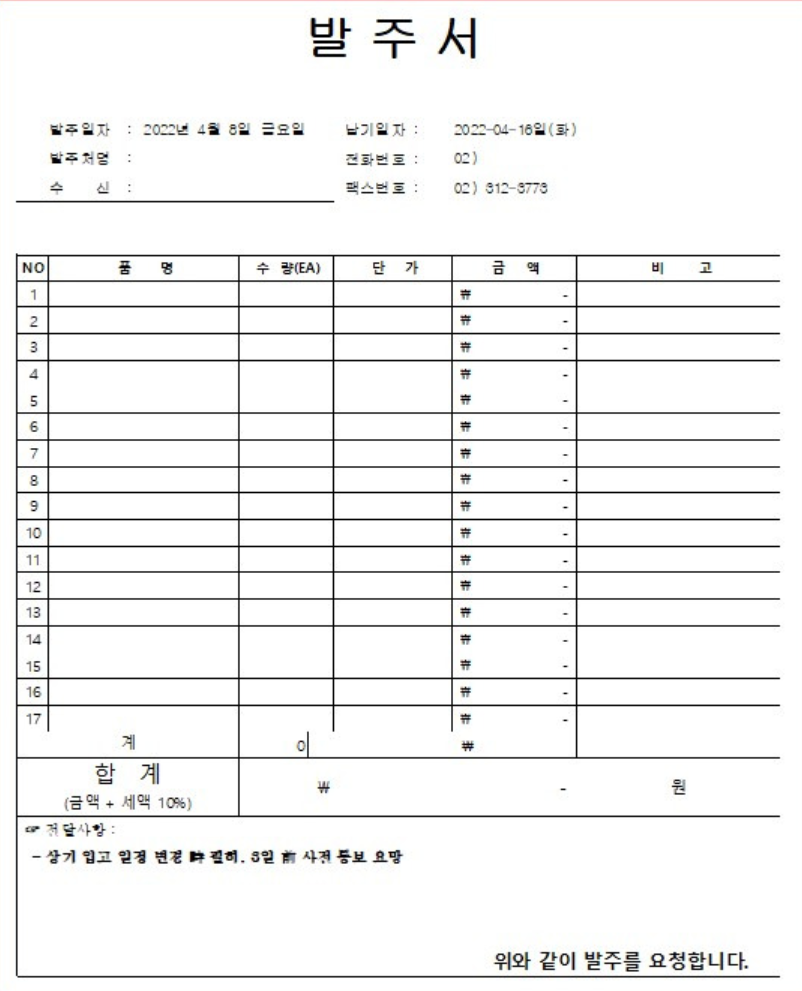
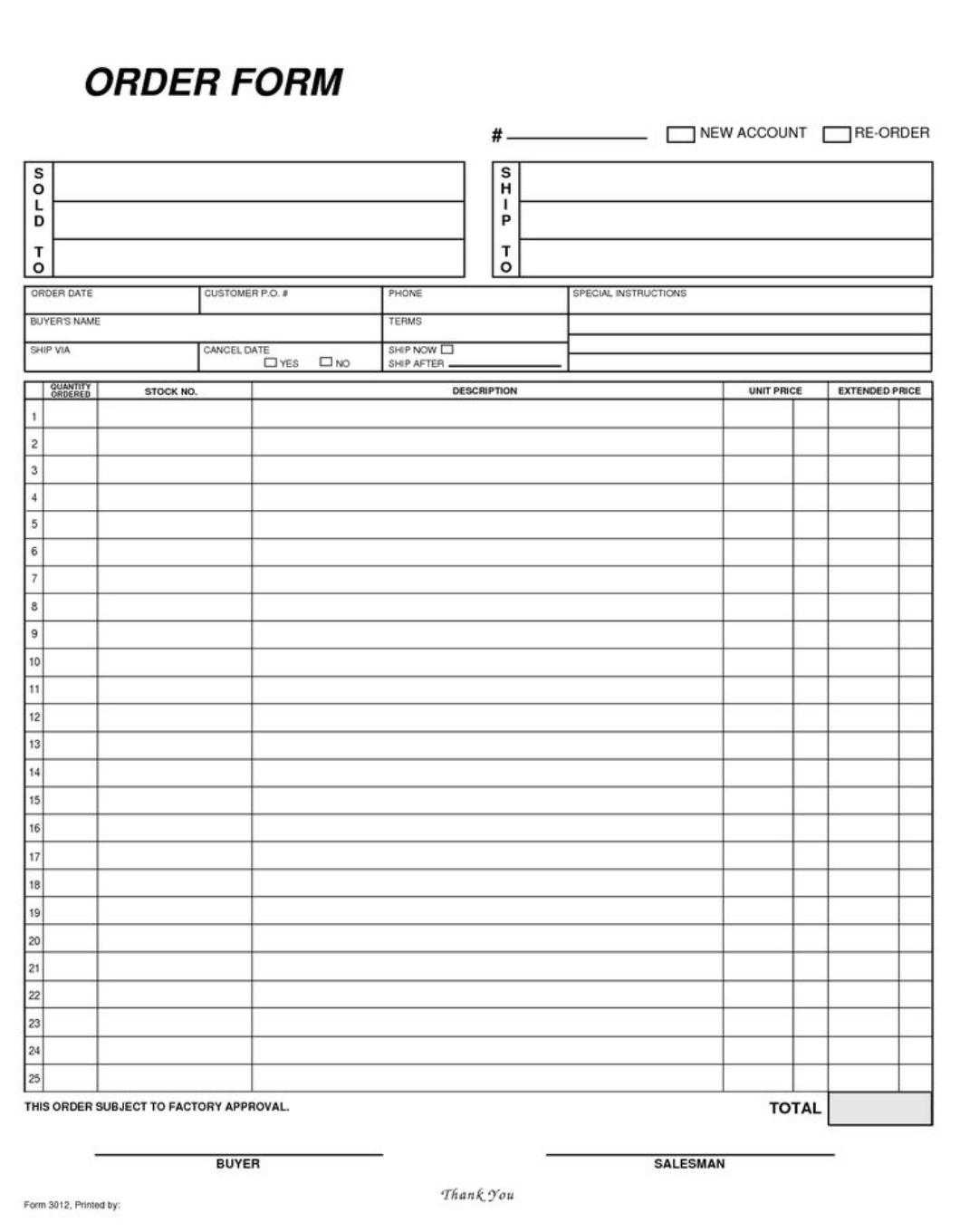
보통 주문은 팩스로 접수하거나 이메일로 수신하게 된다. 아래는 발주서의 예시다. 회사마다 양식은 다르지만, 우리에게 중요한 것은 주문이 행(行) 단위로 기록된다는 점이다.
종이문서는 왜 필수인가
주문을 접수하는 담당자 — 보통은 영업관리 — 는 반드시 발주서를 출력하여 파일링해 보관해야 한다.
전자문서를 너무 믿지 마시라.
ERP 같은 주문관리 시스템이 있다 해도 발주서에 담긴 모든 정보를 입력하기는 어렵다. 고객의 요구사항은 다양하고, 평소 납품처가 아닌 다른 주소로 배송을 요청하는 경우도 많다. 종이문서 보관은 선택이 아닌 필수다.
기존 생산계획 양식의 한계
앞서 말했듯, 고객은 동일 제품이라도 납기만 바꿔 다시 주문하는 경우가 있다. 또한 고객사 이름뿐만 아니라 제품명도 서로 비슷한 경우가 현장에서는 비일비재하다.
결국 앞에서 리뷰한 생산계획 양식만으로는 어느 발주서에서 온 주문인지 구별하기가 어렵다. 별도 장부를 하나 더 만들어 관리하는 방법도 있겠지만, 복잡도와 신뢰도 면에서 절대 추천하지 못하는 방법이다.
주문번호 부여 방식
내가 고안한 방법은 이렇다.
영업관리는 접수한 종이 발주서에 주문번호를 직접 수기로 기록한다. 빨간색이나 파란색으로 기록하면 이후 식별이 훨씬 수월하다.
형식은 아래와 같다.
#10 / #10-1
# 기호는 주문번호임을 한눈에 알아볼 수 있도록 붙이는 식별 표시다.
하이픈 뒤의 숫자(-1)는 발주서의 행 번호를 의미한다. 한 발주서에 여러 품목이 기재된 경우를 대비한 것이다.
팁
수기로 기록하는 것이므로 형식에 너무 얽매일 필요는 없다. 화살표나 괄호 등을 활용해 행을 구분할 수 있으면 충분하다. 발주서의 해당 행 옆에 바로 기록하거나 여백을 이용해도 된다.
번호는 직전 주문번호에 이어서 순차적으로 부여한다. 황파일에 차례대로 쌓이기 때문에, 나중에 특정 주문을 찾아볼 때 마치 책에서 페이지 번호를 찾듯 빠르게 조회할 수 있다.
번호가 길어질 때의 해결책
번호는 사람이 읽고 기억하기 쉬워야 한다. 그런데 계속 누적하다 보면 어느 순간 번호가 너무 길어져 기록도 읽기도 불편해지는 문제가 생긴다.
이를 해결하기 위해 나는 어느 시점에 주문번호를 초기화하는 방식을 사용했다. 번호가 천 단위를 넘어가거나, 너무 길다 싶은 시점에 영업관리와 상의해서 1부터 다시 시작하는 것이다. 단순하지만 효과적이다.
영업관리와 생산관리의 주문번호 공유
마지막으로 반드시 강조하고 싶은 것이 있다.
영업관리가 발주서를 파일링하듯, 생산관리에서도 반드시 동일한 발주서 사본을 보관해야 하며 두 사본의 주문번호는 일치해야 한다.
보통 생산관리는 고객에게 직접 주문을 받기보다, 영업관리가 먼저 접수한 뒤 그 사본을 전달받는다. 영업관리가 수기로 주문번호를 기록한 발주서를 팩스 등의 수단으로 전달하므로, 양쪽의 번호가 달라지는 경우는 생기지 않는다.
정리하면 아래와 같다.
영업관리 발주서 접수
주문번호 수기 기록 (빨간색 또는 파란색)
생산관리에 복사본 전달 및 양쪽 파일링
다음 글에서는 이 주문번호가 생산계획 양식에서 어떻게 연결되는지 살펴보기로 하자.
There is one thing I left out earlier.
I could move straight into the form, but a key identifier appears throughout everything we're about to look at — so it's worth introducing it first.
That identifier is the order number.
This is not a number generated automatically by a system. It is a number assigned by hand, by the person receiving the order.
How orders come in
Orders typically arrive by fax or email. Below is an example of a purchase order. The format varies from customer to customer, but what matters to us is that orders are recorded line by line — one row per item.
Why paper documents are essential
The person receiving the order — usually someone in sales administration — must print the purchase order and file it in a physical binder.
Do not place too much trust in electronic documents.
Even if you have an order management system like an ERP, it is difficult to capture every detail from a purchase order. Customer requirements vary widely, and requests to ship to a non-standard address are common. Keeping paper records is not optional — it is a requirement.
The limits of existing production plan forms
As I mentioned earlier, customers often reorder the same product with only the delivery date changed. On top of that, customer names and product names can look nearly identical in a busy production environment.
As a result, the production plan forms we reviewed earlier make it difficult to tell which purchase order a given job came from. You could create a separate ledger to manage this, but in terms of complexity and reliability, that approach is strongly inadvisable.
How to assign order numbers
The method I developed works like this.
Sales administration writes an order number by hand directly on the printed purchase order — in red or blue ink, which makes it much easier to spot later.
The format looks like this:
#10 / #10-1
The # symbol marks the number as an order number at a glance.
The digit after the hyphen (-1) is the line number within the purchase order — used when a single order sheet lists multiple items.
Tip
Since these are handwritten, there is no need to be strict about the format. Arrows, brackets, or any marking that distinguishes one line from another is fine. Write the number right next to the relevant line on the order sheet, or use whatever margin is available.
Numbers are assigned sequentially, continuing from the previous one. Because they accumulate in order in the physical binder, finding a specific order later is as fast as flipping to a page number in a book.
When numbers get too long
Order numbers need to be easy for people to read and remember. If you keep accumulating indefinitely, the numbers eventually become so long they are inconvenient to write and hard to read.
To solve this, I reset the order number at a certain point. When the number passes into four digits, or simply feels unwieldy, I coordinate with sales administration and start again from 1. Simple, but effective.
Sales and production must share the same order numbers
There is one last point I want to emphasize.
Just as sales administration files the purchase order, production management must also keep a copy of the same purchase order — and the order numbers on both copies must match.
Production management typically does not receive orders directly from the customer. Sales administration receives the order first, then passes a copy to production. Since the copy already has the handwritten order number on it, there is no risk of the two sides ending up with different numbers.
To summarize:
Sales administration receives the purchase order
Order number is written by hand (in red or blue)
A copy is passed to production management; both sides file their copy
In the next chapter, we will look at how this order number connects to the production plan form itself.

댓글Comments